
Old Photo Restoration Template
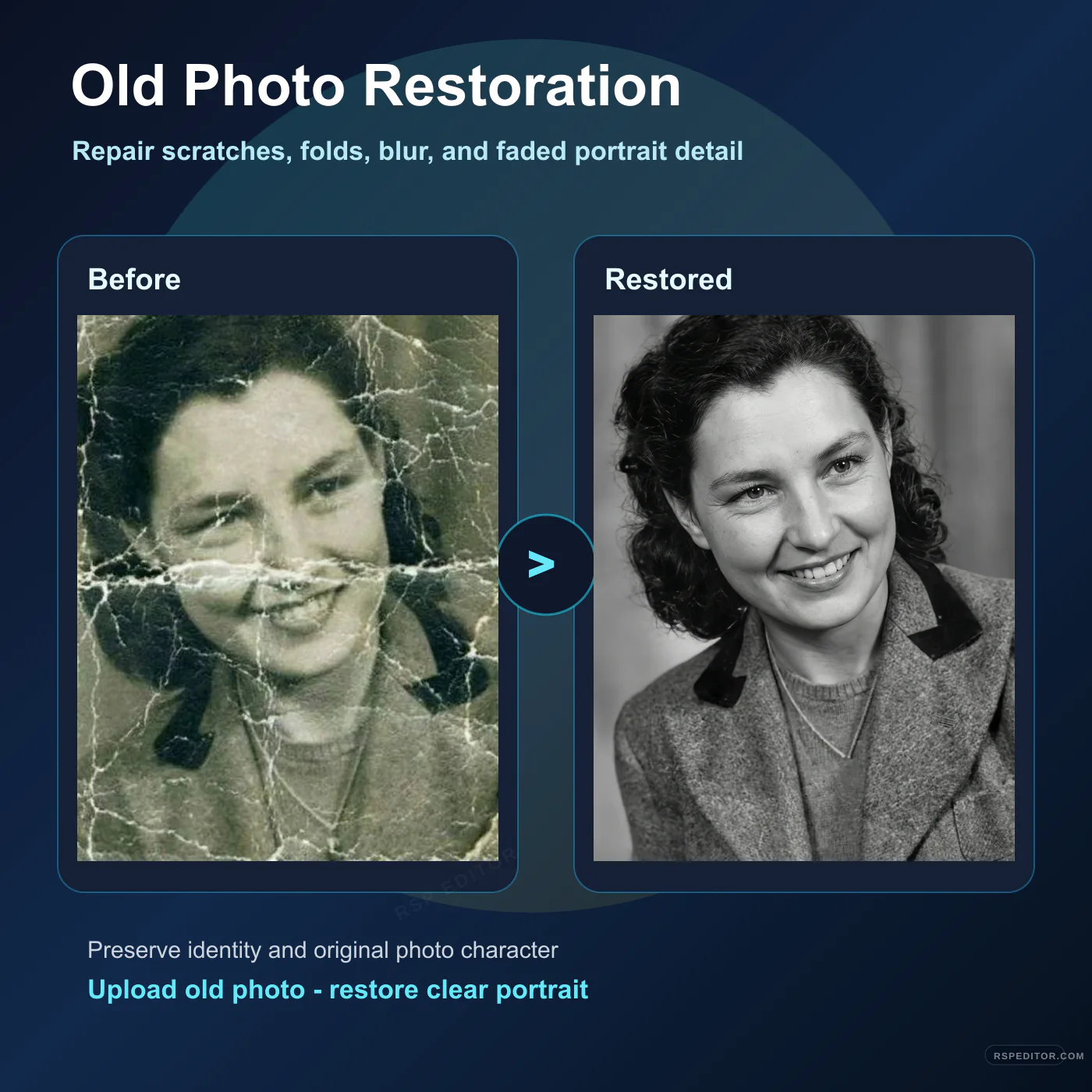
Restore an old portrait by removing scratches, fold marks, stains, blur, and faded detail while preserving the real face and original photo character.
One free image across the site. New credit purchases are temporarily unavailable.
 Use this style →
Upload your photo for this style
Preview your authorized JPG, PNG, or WebP locally first. Generate one image free across the site. Existing paid credits still work, but new purchases are temporarily unavailable.
Image credits
New purchases are temporarily unavailable. Existing paid credits remain usable.
No new checkout will open while purchases are paused. Existing credits stay with the browser used for payment. If browser access is lost, contact payment support with the payment email and checkout or order ID for manual review.
No photo selected
Your preview appears here before you send the request.

Who this template is for
Families, creators, and archive keepers who want to repair damaged old portraits while keeping the original person recognizable.
Delivery shape
- Included: Old photo restoration prompt
- Included: Identity-preservation line
- Included: Damage repair and cleanup rules
Copy Template Prompt
Restore my uploaded old portrait photo. Preserve the real identity, face shape, facial feature proportions, age, expression, hairstyle, clothing, and original photo character. Repair visible scratches, cracks, fold marks, stains, dust, torn-paper artifacts, faded contrast, blur, and missing small details. Reconstruct damaged facial areas carefully without changing who the person is. Keep the photo realistic, natural, and historically believable. If the source is black and white, keep a clean black-and-white restored look unless I specifically ask for colorization. Improve clarity, lighting balance, skin texture, hair detail, and background cleanliness while avoiding over-smoothing, glamour retouching, modern styling, fake jewelry, fake clothing changes, text, logos, or watermark artifacts.
Upload checklist
Use the highest-resolution scan or phone capture you have.
Crop away unrelated borders if possible, but keep the full face and shoulders visible.
Mention if you want black-and-white restoration only or optional colorization.
Use your own family archive or photos you have permission to restore. Do not use restoration to impersonate someone or create false identity documents.