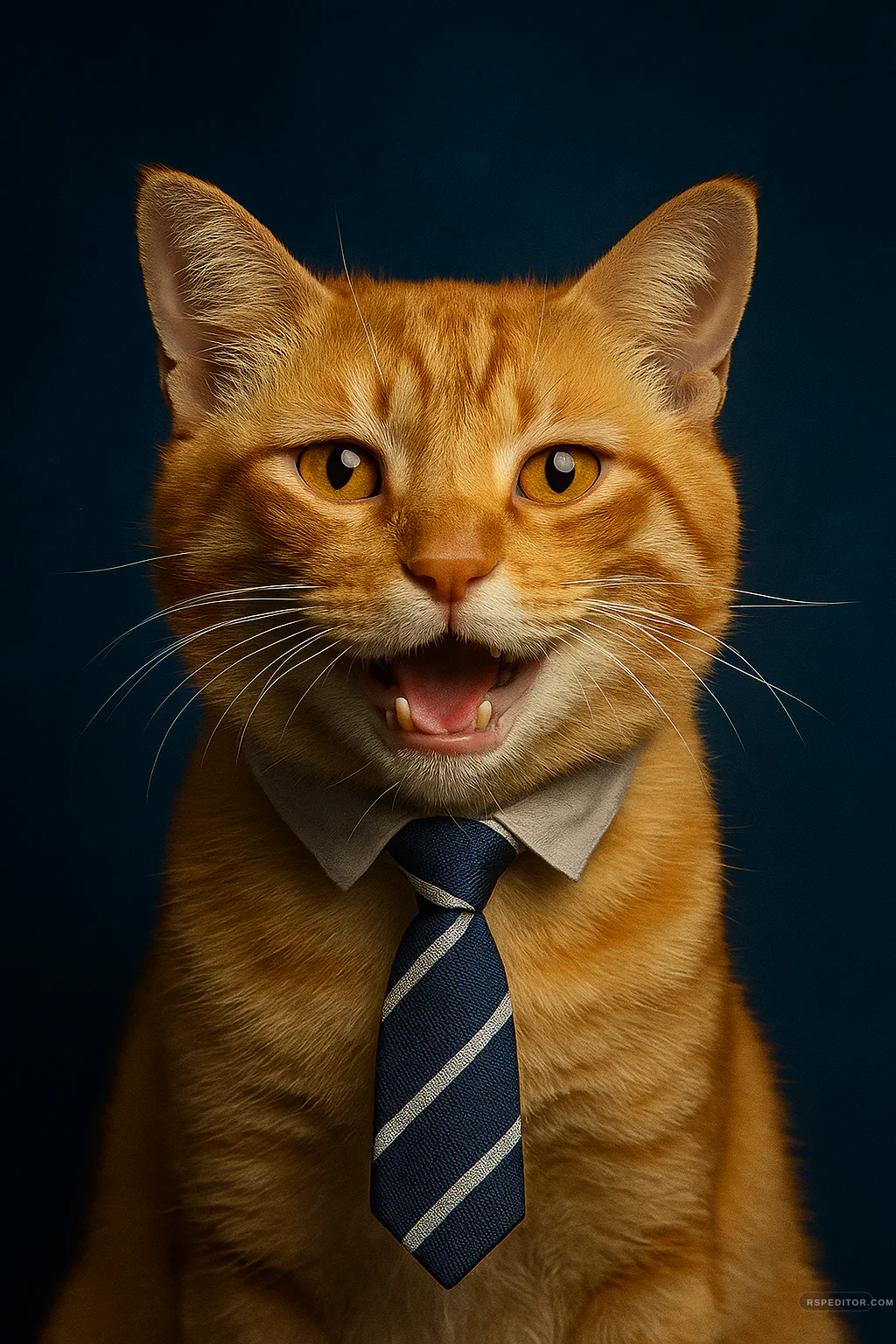
Office Cat Profile Template
Create a playful office-style cat avatar with a tiny shirt collar, tie, and premium navy portrait lighting.
One free image across the site. New credit purchases are temporarily unavailable.
 Use this style →
Upload your photo for this style
Preview your authorized JPG, PNG, or WebP locally first. Generate one image free across the site. Existing paid credits still work, but new purchases are temporarily unavailable.
Image credits
New purchases are temporarily unavailable. Existing paid credits remain usable.
No new checkout will open while purchases are paused. Existing credits stay with the browser used for payment. If browser access is lost, contact payment support with the payment email and checkout or order ID for manual review.
No photo selected
Your preview appears here before you send the request.

Who this template is for
Pet owners and teams who want a playful, polished office-style avatar for a cat.
Delivery shape
- Included: Office pet portrait prompt
- Included: Safe costume guardrail
- Included: Navy studio lighting direction
Copy Template Prompt
Transform my uploaded cat photo into a playful original office-style pet portrait. Preserve the cat's exact fur color, markings, eye color, ears, whiskers, muzzle, and recognizable expression. Use a deep navy studio background, refined portrait light, and a small comfortable-looking shirt collar with a simple striped tie. Keep the outfit clearly costume-like, loose, safe, and secondary to the cat's face. Do not add logos, company names, text, human hands, or change the pet's identity.
Upload checklist
Use a front-facing cat photo with both ears and eyes visible.
Choose a calm expression for the clearest result.
Avoid images with collars containing contact details.
Use your own pet photo. Keep costumes loose, decorative, and safe; do not imply a real company affiliation.